How to Transfer Data from SQL Server into PostgreSQL with FastTransfer

Moving data from SQL Server to PostgreSQL is a pretty common task: migrations, analytics pipelines, or just keeping environments in sync.
In this tutorial, we'll transfer the TPC-H SF=10 orders table (~15M rows, 9 columns) from SQL Server into PostgreSQL using FastTransfer (fasttransfer.arpe.io).
Context
A lot of SQL Server → Postgres workflows start with an intermediate CSV export:
- export to CSV
- move files around
- import with
COPY
It works, but it adds friction: temporary files, escaping/format issues, and more moving parts.
FastTransfer avoids all of that by streaming the data directly from SQL Server to PostgreSQL, while still using the fastest native mechanisms on each side.
The dataset we will transfer (TPC-H SF=10 orders)
We'll use the TPC-H SF=10 dataset, table orders.
- Table:
orders - Scale: SF=10
- Size: ~15 million rows
- Columns: 9 columns
- Source:
tpch10.dbo.orders(SQL Server) - Target:
postgres.public.orders(PostgreSQL)
Click here to see the test environment specifications
- Model: MSI KATANA 15 HX B14W
- OS: Windows 11
- CPU: Intel(R) Core(TM) i7-14650HX @ 2200 MHz — 16 cores / 24 logical processors
- SQL Server 2022
- PostgreSQL 16
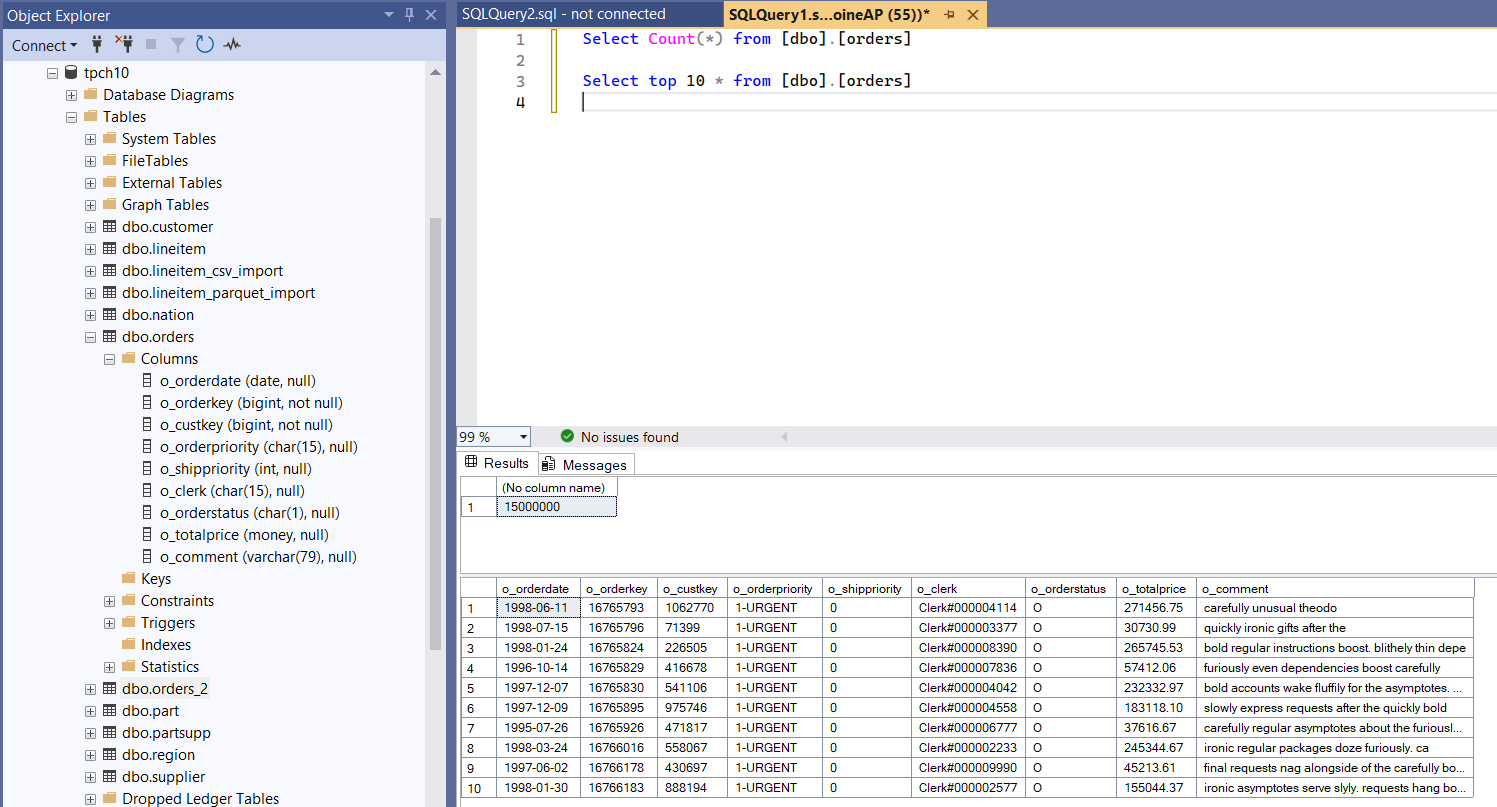
Source table in SQL Server
SELECT COUNT(*) AS rows_source
FROM dbo.orders;

SELECT TOP 10 * FROM dbo.orders
Target table in PostgreSQL
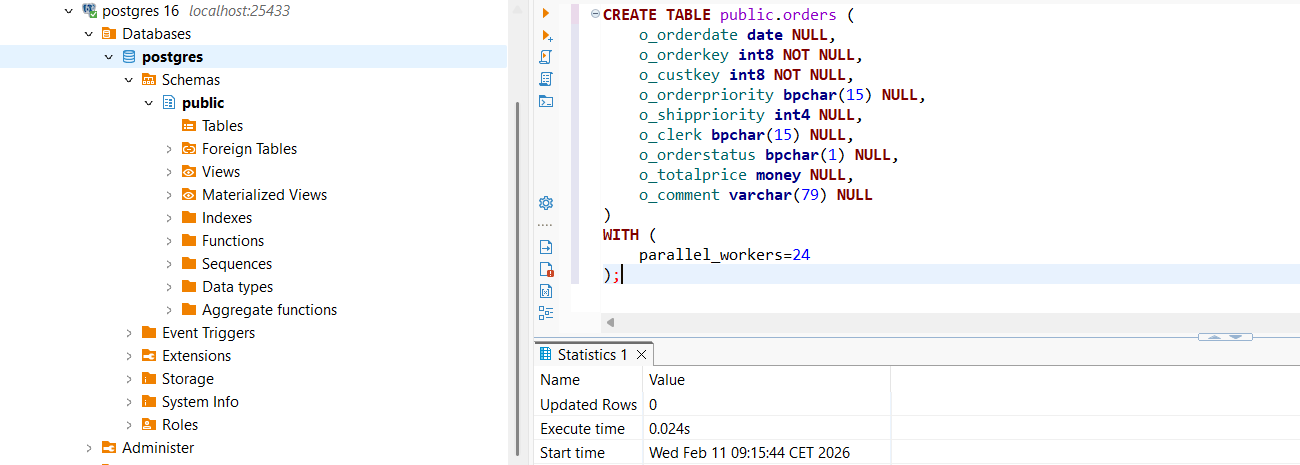
Make sure public.orders exists in PostgreSQL with a compatible schema (same column names/types).
CREATE TABLE public.orders (
	o_orderdate date NULL,
	o_orderkey int8 NOT NULL,
	o_custkey int8 NOT NULL,
	o_orderpriority bpchar(15) NULL,
	o_shippriority int4 NULL,
	o_clerk bpchar(15) NULL,
	o_orderstatus bpchar(1) NULL,
	o_totalprice money NULL,
	o_comment varchar(79) NULL
)
WITH (
	parallel_workers=24
);
What is FastTransfer?
FastTransfer (fasttransfer.arpe.io) is a command-line tool built for high-performance data movement (file → DB, DB → DB), designed to maximize throughput with streaming and parallel execution.
For SQL Server → PostgreSQL, FastTransfer is interesting because it can:
- read from SQL Server efficiently (
mssql) - load into PostgreSQL using the COPY protocol (
pgcopy) - split work across threads to better use the machine
Transferring orders from SQL Server to PostgreSQL
To build the command line, we used the FastTransfer Wizard: https://fasttransfer.arpe.io/docs/latest/wizard
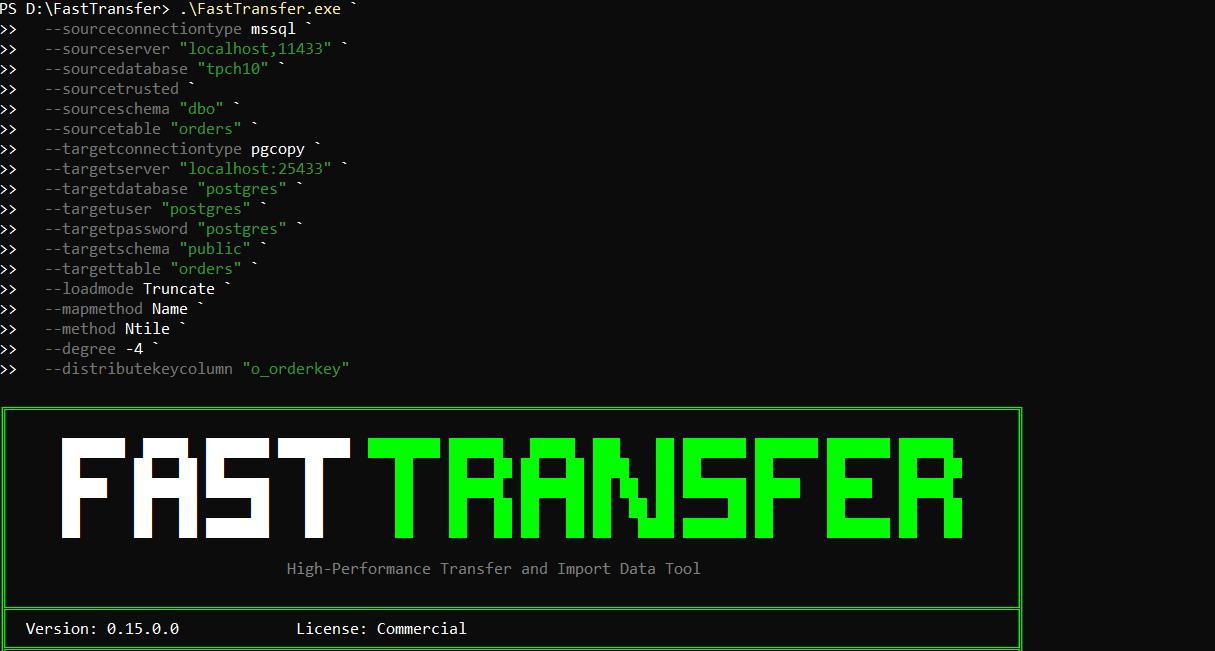
Here is the exact command we used:
.\FastTransfer.exe `
  --sourceconnectiontype mssql `
  --sourceserver "localhost,11433" `
  --sourcedatabase "tpch10" `
  --sourcetrusted `
  --sourceschema "dbo" `
  --sourcetable "orders" `
  --targetconnectiontype pgcopy `
  --targetserver "localhost:25433" `
  --targetdatabase "postgres" `
  --targetuser "postgres" `
  --targetpassword "postgres" `
  --targetschema "public" `
  --targettable "orders" `
  --loadmode Truncate `
  --mapmethod Name `
  --method Ntile `
  --degree -4 `
  --distributekeycolumn "o_orderkey"
A few things to highlight:
--targetconnectiontype pgcopyuses PostgreSQL's COPY protocol (fast path for bulk loads).--loadmode Truncateclears the target table before loading (clean, repeatable runs).--mapmethod Namemaps columns by name (safer than positional mapping).--method Ntileenables parallel execution by splitting the dataset into tiles.--degree -4uses "number of cores/4" threads (leaves some CPU for the system).o_orderkeyis a great distribution key for TPC-Horders(high cardinality, stable).
1) Running the FastTransfer command from PowerShell
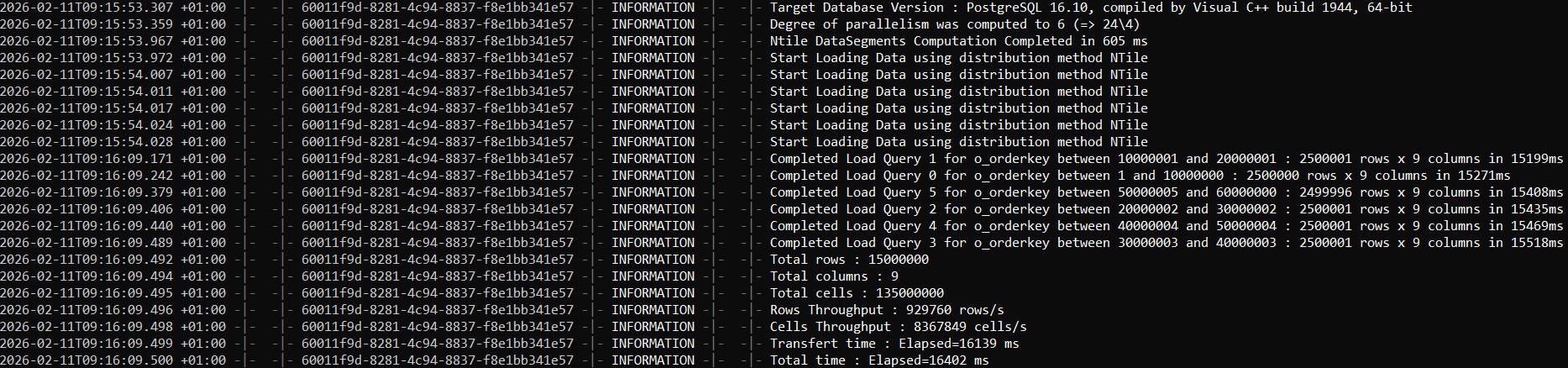
2) FastTransfer completion output (elapsed time and summary)
3) Verifying the number of imported rows in Postgres
Once the transfer completes, validate the row count:
SELECT COUNT(*)
FROM public.orders;

SELECT *
FROM public.orders
LIMIT 10;
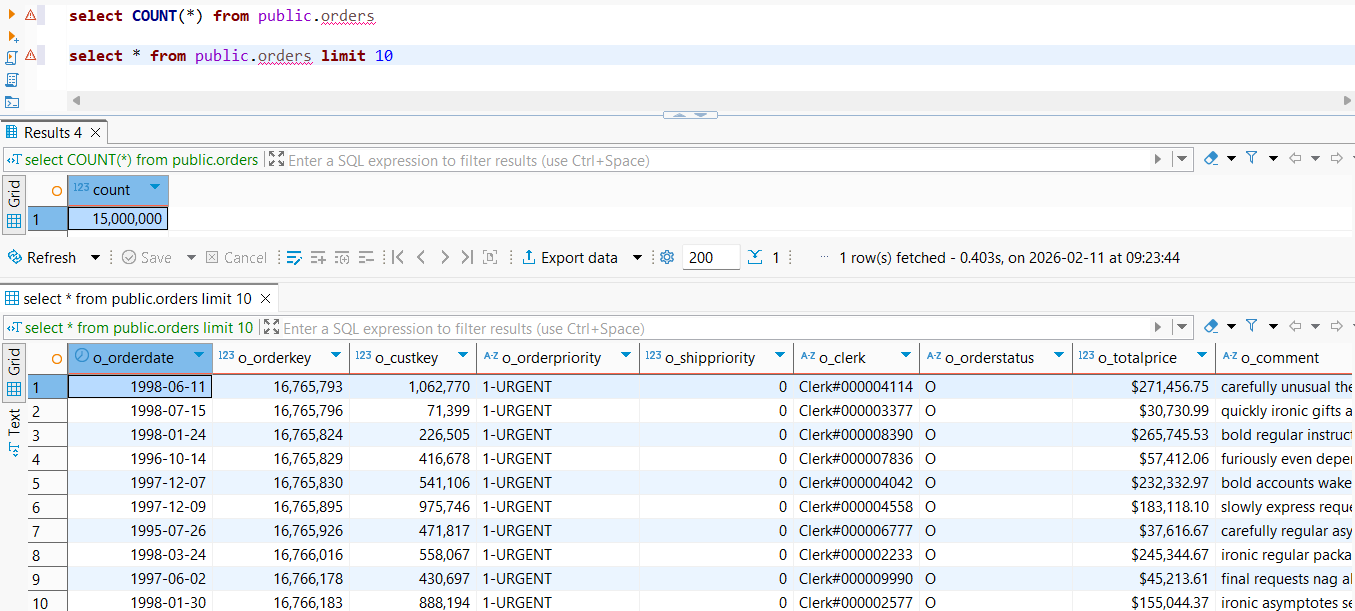
On this machine, the transfer of the orders table from SQL Server completed in 16 seconds, successfully loading ~15 million rows with 9 columns into PostgreSQL.
For more details on all available options (parallel methods, degrees, mapping, sources/targets), see the documentation: https://fasttransfer.arpe.io/docs/latest/
Conclusion
If you've been moving SQL Server data to PostgreSQL via CSV exports, FastTransfer is a nice upgrade:
- direct DB → DB streaming (no intermediate files)
- uses native fast paths (
mssql+ PostgresCOPY) - optional parallelism for higher throughput
For more details on the available options (parallel methods, degree, mapping, source/target connectors), see the documentation: https://fasttransfer.arpe.io/docs/latest/
Resources
- FastTransfer: https://fasttransfer.arpe.io
- Docs: https://fasttransfer.arpe.io/docs/latest/
- Wizard: https://fasttransfer.arpe.io/docs/latest/wizard